question
list Sofronie Emil
Hello,

I just start to use xymon for a test using a xymonserver(linux), xymonclient(linux), and a windows client.

I do not understand why for the linux client the CPU status it's not show.

Please could you let me know what config file I have to adjust for it.
Thanks

Constantin
Attachments (1)
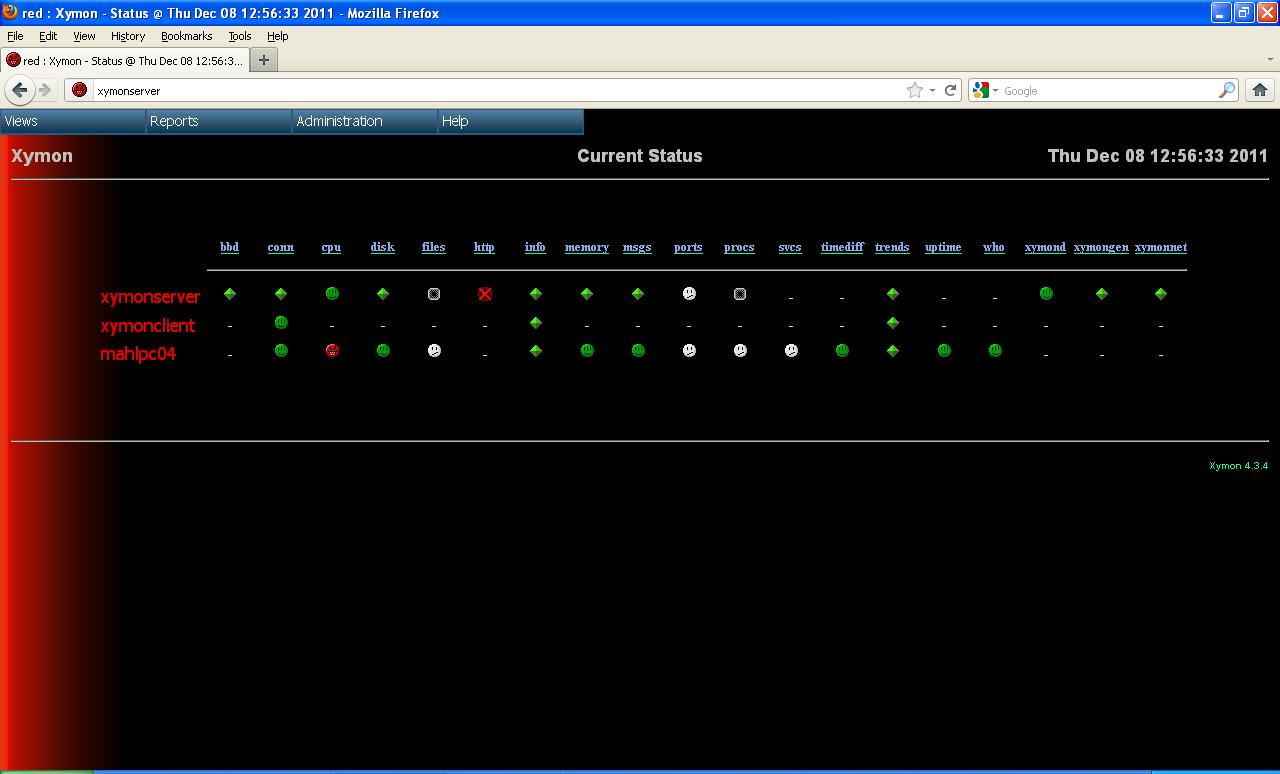 attachment.jpg
list Josh Luthman
My first guess would be the client (assuming another machine) isn't
sending it's data to the correct server address.  Secondly, is there a
ghost report on the bbd test?  Finally, the client probably isn't
sending its name as "xymonclient" but rather the fqdn output of the
hostname command.

Josh Luthman
Office: XXX-XXX-XXXX
Direct: XXX-XXX-XXXX
XXXX Wayne St
Suite XXXX
Troy, OH XXXXX
▸
On Wed, Dec 7, 2011 at 9:02 PM, sofronie emil <user-39f40aa8d4c7@xymon.invalid> wrote:Hello, I just start to use xymon for a test using a xymonserver(linux), xymonclient(linux), and a windows client. I do not understand why for the linux client the CPU status it's not show. Please could you let me know what config file I have to adjust for it. Thanks Constantin
list Henrik Størner
▸
On 08-12-2011 03:02, sofronie emil wrote:
I just start to use xymon for a test using a xymonserver(linux),
xymonclient(linux), and a windows client.
I do not understand why for the linux client the CPU status it's not show.
Please could you let me know what config file I have to adjust for it.
The first thing you should check is if the Xymon client is listed as a "ghost": From the Reports menu, pick "Ghost clients" and see if your server is listed there.

Servers on this list are reporting data to Xymon using a hostname that Xymon doesn't recognize.

If it is there, then add "CLIENT:<real hostname from the ghost list>" to the entry for xymonclient in your hosts.cfg file. Then run "killall -HUP xymond" to force Xymon to reload the hosts.cfg file (this is just to speed things up, it will automatically reload the host file every 10 minutes). Wait 5 minutes until xymonclient sends a new set of data to the Xymon server, then it should show up as you expect.


Regards,
Henrik