Filtering hosts on page with many hosts
list Ken Connell
--
Ken Connell
Senior Network Engineer
Computer & Communication Services
Toronto Metropolitan University (Formerly Ryerson University)
list Jaime Kikpole
Jaime Kikpole Director of Technology |
▸
I have a page with over 300 hosts, is there a way to just filter hosts that start with "X" ?
--
Ken Connell
Senior Network Engineer
Computer & Communication Services
Toronto Metropolitan University (Formerly Ryerson University)
list Ken Connell
▸
I don't believe so, but you could break it up into blocks of conceptually related items using groups or pages/subpages if you need the same blocks of stuff on a regular basis. This is done in the hosts.cfg file using page, subpage, subparent, etc. commands or group commands. Check https://xymon.sourceforge.io/xymon/help/manpages/man5/hosts.cfg.5.html for details.
Jaime Kikpole
Director of Technology
Ichabod Crane Central School District
(XXX) XXX-XXXX, x5425On Tue, Apr 15, 2025 at 1:55 PM Ken Connell via Xymon <xymon@xymon.com> wrote:I have a page with over 300 hosts, is there a way to just filter hosts that start with "X" ?
--
Ken Connell
Senior Network Engineer
Computer & Communication Services
Toronto Metropolitan University (Formerly Ryerson University)
list Jaime Kikpole
▸
Jaime Kikpole Director of Technology |
▸
Thanks for the reply.I do have many pages/sub-pages for other things, the issue is, I have some "outside scripts" that grab info off "page-x", so breaking the hosts list up would cause "other issues".On Tue, Apr 15, 2025 at 2:09 PM Jaime Kikpole <user-fb200a07d7dc@xymon.invalid> wrote:I don't believe so, but you could break it up into blocks of conceptually related items using groups or pages/subpages if you need the same blocks of stuff on a regular basis. This is done in the hosts.cfg file using page, subpage, subparent, etc. commands or group commands. Check https://xymon.sourceforge.io/xymon/help/manpages/man5/hosts.cfg.5.html for details.
Jaime Kikpole
Director of Technology
Ichabod Crane Central School District
(XXX) XXX-XXXX, x5425On Tue, Apr 15, 2025 at 1:55 PM Ken Connell via Xymon <xymon@xymon.com> wrote:I have a page with over 300 hosts, is there a way to just filter hosts that start with "X" ?
--
Ken Connell
Senior Network Engineer
Computer & Communication Services
Toronto Metropolitan University (Formerly Ryerson University)
list Tom Schmidt
▸
That makes sense. Would using groups (which leave the items on that page, but group them into logical sets of things) be useful?Otherwise, I'm not personally aware of any good solutions for you. There might be one, but I'm not thinking of it.
Jaime Kikpole
Director of Technology
Ichabod Crane Central School District
(XXX) XXX-XXXX, x5425On Tue, Apr 15, 2025 at 2:14 PM Ken Connell <user-db108f93c7f6@xymon.invalid> wrote:Thanks for the reply.I do have many pages/sub-pages for other things, the issue is, I have some "outside scripts" that grab info off "page-x", so breaking the hosts list up would cause "other issues".On Tue, Apr 15, 2025 at 2:09 PM Jaime Kikpole <user-fb200a07d7dc@xymon.invalid> wrote:I don't believe so, but you could break it up into blocks of conceptually related items using groups or pages/subpages if you need the same blocks of stuff on a regular basis. This is done in the hosts.cfg file using page, subpage, subparent, etc. commands or group commands. Check https://xymon.sourceforge.io/xymon/help/manpages/man5/hosts.cfg.5.html for details.
Jaime Kikpole
Director of Technology
Ichabod Crane Central School District
(XXX) XXX-XXXX, x5425On Tue, Apr 15, 2025 at 1:55 PM Ken Connell via Xymon <xymon@xymon.com> wrote:I have a page with over 300 hosts, is there a way to just filter hosts that start with "X" ?
--
Ken Connell
Senior Network Engineer
Computer & Communication Services
Toronto Metropolitan University (Formerly Ryerson University)
list Ken Connell
Unfortunately, there is not a filtered host display page option. I may look to see if I can create one for Xymon 4.0 as an enhancement.TomOn Tue, Apr 15, 2025 at 12:16 PM Jaime Kikpole via Xymon <xymon@xymon.com> wrote:That makes sense. Would using groups (which leave the items on that page, but group them into logical sets of things) be useful?Otherwise, I'm not personally aware of any good solutions for you. There might be one, but I'm not thinking of it.
Jaime Kikpole
Director of Technology
Ichabod Crane Central School District
(XXX) XXX-XXXX, x5425On Tue, Apr 15, 2025 at 2:14 PM Ken Connell <user-db108f93c7f6@xymon.invalid> wrote:Thanks for the reply.I do have many pages/sub-pages for other things, the issue is, I have some "outside scripts" that grab info off "page-x", so breaking the hosts list up would cause "other issues".On Tue, Apr 15, 2025 at 2:09 PM Jaime Kikpole <user-fb200a07d7dc@xymon.invalid> wrote:I don't believe so, but you could break it up into blocks of conceptually related items using groups or pages/subpages if you need the same blocks of stuff on a regular basis. This is done in the hosts.cfg file using page, subpage, subparent, etc. commands or group commands. Check https://xymon.sourceforge.io/xymon/help/manpages/man5/hosts.cfg.5.html for details.
Jaime Kikpole
Director of Technology
Ichabod Crane Central School District
(XXX) XXX-XXXX, x5425On Tue, Apr 15, 2025 at 1:55 PM Ken Connell via Xymon <xymon@xymon.com> wrote:I have a page with over 300 hosts, is there a way to just filter hosts that start with "X" ?
--
Ken Connell
Senior Network Engineer
Computer & Communication Services
Toronto Metropolitan University (Formerly Ryerson University)
list Jeremy Laidman
▸
👍On Tue, Apr 15, 2025 at 2:29 PM Tom Schmidt <user-d34f6118b459@xymon.invalid> wrote:Unfortunately, there is not a filtered host display page option. I may look to see if I can create one for Xymon 4.0 as an enhancement.TomOn Tue, Apr 15, 2025 at 12:16 PM Jaime Kikpole via Xymon <xymon@xymon.com> wrote:That makes sense. Would using groups (which leave the items on that page, but group them into logical sets of things) be useful?Otherwise, I'm not personally aware of any good solutions for you. There might be one, but I'm not thinking of it.
Jaime Kikpole
Director of Technology
Ichabod Crane Central School District
(XXX) XXX-XXXX, x5425On Tue, Apr 15, 2025 at 2:14 PM Ken Connell <user-db108f93c7f6@xymon.invalid> wrote:Thanks for the reply.I do have many pages/sub-pages for other things, the issue is, I have some "outside scripts" that grab info off "page-x", so breaking the hosts list up would cause "other issues".On Tue, Apr 15, 2025 at 2:09 PM Jaime Kikpole <user-fb200a07d7dc@xymon.invalid> wrote:I don't believe so, but you could break it up into blocks of conceptually related items using groups or pages/subpages if you need the same blocks of stuff on a regular basis. This is done in the hosts.cfg file using page, subpage, subparent, etc. commands or group commands. Check https://xymon.sourceforge.io/xymon/help/manpages/man5/hosts.cfg.5.html for details.
Jaime Kikpole
Director of Technology
Ichabod Crane Central School District
(XXX) XXX-XXXX, x5425On Tue, Apr 15, 2025 at 1:55 PM Ken Connell via Xymon <xymon@xymon.com> wrote:I have a page with over 300 hosts, is there a way to just filter hosts that start with "X" ?
--
Ken Connell
Senior Network Engineer
Computer & Communication Services
Toronto Metropolitan University (Formerly Ryerson University)
list Jeremy Laidman
▸
You can list a host in more than one page. So if you need to keep all 300 hosts in one page, you can have separate pages with subsets of the hosts.A Javascript add-on to dynamically filter the hosts shouldn't be too hard to put together.JOn Wed, 16 Apr 2025 at 09:15, Ken Connell via Xymon <xymon@xymon.com> wrote:👍On Tue, Apr 15, 2025 at 2:29 PM Tom Schmidt <user-d34f6118b459@xymon.invalid> wrote:Unfortunately, there is not a filtered host display page option. I may look to see if I can create one for Xymon 4.0 as an enhancement.TomOn Tue, Apr 15, 2025 at 12:16 PM Jaime Kikpole via Xymon <xymon@xymon.com> wrote:That makes sense. Would using groups (which leave the items on that page, but group them into logical sets of things) be useful?Otherwise, I'm not personally aware of any good solutions for you. There might be one, but I'm not thinking of it.
Jaime Kikpole
Director of Technology
Ichabod Crane Central School District
(XXX) XXX-XXXX, x5425On Tue, Apr 15, 2025 at 2:14 PM Ken Connell <user-db108f93c7f6@xymon.invalid> wrote:Thanks for the reply.I do have many pages/sub-pages for other things, the issue is, I have some "outside scripts" that grab info off "page-x", so breaking the hosts list up would cause "other issues".On Tue, Apr 15, 2025 at 2:09 PM Jaime Kikpole <user-fb200a07d7dc@xymon.invalid> wrote:I don't believe so, but you could break it up into blocks of conceptually related items using groups or pages/subpages if you need the same blocks of stuff on a regular basis. This is done in the hosts.cfg file using page, subpage, subparent, etc. commands or group commands. Check https://xymon.sourceforge.io/xymon/help/manpages/man5/hosts.cfg.5.html for details.
Jaime Kikpole
Director of Technology
Ichabod Crane Central School District
(XXX) XXX-XXXX, x5425On Tue, Apr 15, 2025 at 1:55 PM Ken Connell via Xymon <xymon@xymon.com> wrote:I have a page with over 300 hosts, is there a way to just filter hosts that start with "X" ?
--
Ken Connell
Senior Network Engineer
Computer & Communication Services
Toronto Metropolitan University (Formerly Ryerson University)
list Nicola Canepa
▸
Courtesy of AI, and after some minor tweaks, the attached javascript will create a host filter on Xymon pages with hosts (wherever the URL location starts with "/xymon/").Either insert the file to your stdnormal_footer file just above &XYMONBODYFOOTER, or create a new file in a suitable location such as /etc/xymon/xymonbodyfooter.html (or append to an existing file if you already use one) and (if it's not already set) update XYMONBODYFOOTER in xymonserver.cfg to point to the file (eg XYMONBODYFOOTER="file:/etc/xymon/xymonbodyfooter.html").Then, wait a few minutes for the pages to re-generate, and then the filter will be available. To toggle the filter on the page, either select the new checkboxed menu item from the Views menu, or type CTRL-SHIFT-F (or CMD-SHIFT-F on a Mac).
JOn Wed, 16 Apr 2025 at 09:39, Jeremy Laidman <user-0608abae5e7c@xymon.invalid> wrote:You can list a host in more than one page. So if you need to keep all 300 hosts in one page, you can have separate pages with subsets of the hosts.A Javascript add-on to dynamically filter the hosts shouldn't be too hard to put together.JOn Wed, 16 Apr 2025 at 09:15, Ken Connell via Xymon <xymon@xymon.com> wrote:👍On Tue, Apr 15, 2025 at 2:29 PM Tom Schmidt <user-d34f6118b459@xymon.invalid> wrote:Unfortunately, there is not a filtered host display page option. I may look to see if I can create one for Xymon 4.0 as an enhancement.TomOn Tue, Apr 15, 2025 at 12:16 PM Jaime Kikpole via Xymon <xymon@xymon.com> wrote:That makes sense. Would using groups (which leave the items on that page, but group them into logical sets of things) be useful?Otherwise, I'm not personally aware of any good solutions for you. There might be one, but I'm not thinking of it.
Jaime Kikpole
Director of Technology
Ichabod Crane Central School District
(XXX) XXX-XXXX, x5425On Tue, Apr 15, 2025 at 2:14 PM Ken Connell <user-db108f93c7f6@xymon.invalid> wrote:Thanks for the reply.I do have many pages/sub-pages for other things, the issue is, I have some "outside scripts" that grab info off "page-x", so breaking the hosts list up would cause "other issues".On Tue, Apr 15, 2025 at 2:09 PM Jaime Kikpole <user-fb200a07d7dc@xymon.invalid> wrote:I don't believe so, but you could break it up into blocks of conceptually related items using groups or pages/subpages if you need the same blocks of stuff on a regular basis. This is done in the hosts.cfg file using page, subpage, subparent, etc. commands or group commands. Check https://xymon.sourceforge.io/xymon/help/manpages/man5/hosts.cfg.5.html for details.
Jaime Kikpole
Director of Technology
Ichabod Crane Central School District
(XXX) XXX-XXXX, x5425On Tue, Apr 15, 2025 at 1:55 PM Ken Connell via Xymon <xymon@xymon.com> wrote:I have a page with over 300 hosts, is there a way to just filter hosts that start with "X" ?
--
Ken Connell
Senior Network Engineer
Computer & Communication Services
Toronto Metropolitan University (Formerly Ryerson University)
list Tom Schmidt
▸
Courtesy of AI, and after some minor tweaks, the attached javascript will create a host filter on Xymon pages with hosts (wherever the URL location starts with "/xymon/").Either insert the file to your stdnormal_footer file just above &XYMONBODYFOOTER, or create a new file in a suitable location such as /etc/xymon/xymonbodyfooter.html (or append to an existing file if you already use one) and (if it's not already set) update XYMONBODYFOOTER in xymonserver.cfg to point to the file (eg XYMONBODYFOOTER="file:/etc/xymon/xymonbodyfooter.html").Then, wait a few minutes for the pages to re-generate, and then the filter will be available. To toggle the filter on the page, either select the new checkboxed menu item from the Views menu, or type CTRL-SHIFT-F (or CMD-SHIFT-F on a Mac).
JOn Wed, 16 Apr 2025 at 09:39, Jeremy Laidman <user-0608abae5e7c@xymon.invalid> wrote:You can list a host in more than one page. So if you need to keep all 300 hosts in one page, you can have separate pages with subsets of the hosts.A Javascript add-on to dynamically filter the hosts shouldn't be too hard to put together.JOn Wed, 16 Apr 2025 at 09:15, Ken Connell via Xymon <xymon@xymon.com> wrote:👍On Tue, Apr 15, 2025 at 2:29 PM Tom Schmidt <user-d34f6118b459@xymon.invalid> wrote:Unfortunately, there is not a filtered host display page option. I may look to see if I can create one for Xymon 4.0 as an enhancement.TomOn Tue, Apr 15, 2025 at 12:16 PM Jaime Kikpole via Xymon <xymon@xymon.com> wrote:That makes sense. Would using groups (which leave the items on that page, but group them into logical sets of things) be useful?Otherwise, I'm not personally aware of any good solutions for you. There might be one, but I'm not thinking of it.
Jaime Kikpole
Director of Technology
Ichabod Crane Central School District
(XXX) XXX-XXXX, x5425On Tue, Apr 15, 2025 at 2:14 PM Ken Connell <user-db108f93c7f6@xymon.invalid> wrote:Thanks for the reply.I do have many pages/sub-pages for other things, the issue is, I have some "outside scripts" that grab info off "page-x", so breaking the hosts list up would cause "other issues".On Tue, Apr 15, 2025 at 2:09 PM Jaime Kikpole <user-fb200a07d7dc@xymon.invalid> wrote:I don't believe so, but you could break it up into blocks of conceptually related items using groups or pages/subpages if you need the same blocks of stuff on a regular basis. This is done in the hosts.cfg file using page, subpage, subparent, etc. commands or group commands. Check https://xymon.sourceforge.io/xymon/help/manpages/man5/hosts.cfg.5.html for details.
Jaime Kikpole
Director of Technology
Ichabod Crane Central School District
(XXX) XXX-XXXX, x5425On Tue, Apr 15, 2025 at 1:55 PM Ken Connell via Xymon <xymon@xymon.com> wrote:I have a page with over 300 hosts, is there a way to just filter hosts that start with "X" ?
--
Ken Connell
Senior Network Engineer
Computer & Communication Services
Toronto Metropolitan University (Formerly Ryerson University)
list Ken Connell
▸
Courtesy of AI, and after some minor tweaks, the attached javascript will create a host filter on Xymon pages with hosts (wherever the URL location starts with "/xymon/").Either insert the file to your stdnormal_footer file just above &XYMONBODYFOOTER, or create a new file in a suitable location such as /etc/xymon/xymonbodyfooter.html (or append to an existing file if you already use one) and (if it's not already set) update XYMONBODYFOOTER in xymonserver.cfg to point to the file (eg XYMONBODYFOOTER="file:/etc/xymon/xymonbodyfooter.html").Then, wait a few minutes for the pages to re-generate, and then the filter will be available. To toggle the filter on the page, either select the new checkboxed menu item from the Views menu, or type CTRL-SHIFT-F (or CMD-SHIFT-F on a Mac).
JOn Wed, 16 Apr 2025 at 09:39, Jeremy Laidman <user-0608abae5e7c@xymon.invalid> wrote:You can list a host in more than one page. So if you need to keep all 300 hosts in one page, you can have separate pages with subsets of the hosts.A Javascript add-on to dynamically filter the hosts shouldn't be too hard to put together.JOn Wed, 16 Apr 2025 at 09:15, Ken Connell via Xymon <xymon@xymon.com> wrote:👍On Tue, Apr 15, 2025 at 2:29 PM Tom Schmidt <user-d34f6118b459@xymon.invalid> wrote:Unfortunately, there is not a filtered host display page option. I may look to see if I can create one for Xymon 4.0 as an enhancement.TomOn Tue, Apr 15, 2025 at 12:16 PM Jaime Kikpole via Xymon <xymon@xymon.com> wrote:That makes sense. Would using groups (which leave the items on that page, but group them into logical sets of things) be useful?Otherwise, I'm not personally aware of any good solutions for you. There might be one, but I'm not thinking of it.
Jaime Kikpole
Director of Technology
Ichabod Crane Central School District
(XXX) XXX-XXXX, x5425On Tue, Apr 15, 2025 at 2:14 PM Ken Connell <user-db108f93c7f6@xymon.invalid> wrote:Thanks for the reply.I do have many pages/sub-pages for other things, the issue is, I have some "outside scripts" that grab info off "page-x", so breaking the hosts list up would cause "other issues".On Tue, Apr 15, 2025 at 2:09 PM Jaime Kikpole <user-fb200a07d7dc@xymon.invalid> wrote:I don't believe so, but you could break it up into blocks of conceptually related items using groups or pages/subpages if you need the same blocks of stuff on a regular basis. This is done in the hosts.cfg file using page, subpage, subparent, etc. commands or group commands. Check https://xymon.sourceforge.io/xymon/help/manpages/man5/hosts.cfg.5.html for details.
Jaime Kikpole
Director of Technology
Ichabod Crane Central School District
(XXX) XXX-XXXX, x5425On Tue, Apr 15, 2025 at 1:55 PM Ken Connell via Xymon <xymon@xymon.com> wrote:I have a page with over 300 hosts, is there a way to just filter hosts that start with "X" ?
--
Ken Connell
Senior Network Engineer
Computer & Communication Services
Toronto Metropolitan University (Formerly Ryerson University)
 image.png
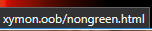 image.png
list Ken Connell
▸
Thanks Jeremy,As Nicola also answered, I too just get a page with "false"- Xymon 4.3.30- modified mine so it just shows up on "/Switches" pages- added you script contents directly to the stdnormal_header fileHovering over from the "Views" choice:- nongreen shows the correct path:The new Host Filter has:I guess the browser doesn't really know where to find this ?On Wed, Apr 16, 2025 at 8:59 PM Jeremy Laidman <user-0608abae5e7c@xymon.invalid> wrote:Courtesy of AI, and after some minor tweaks, the attached javascript will create a host filter on Xymon pages with hosts (wherever the URL location starts with "/xymon/").Either insert the file to your stdnormal_footer file just above &XYMONBODYFOOTER, or create a new file in a suitable location such as /etc/xymon/xymonbodyfooter.html (or append to an existing file if you already use one) and (if it's not already set) update XYMONBODYFOOTER in xymonserver.cfg to point to the file (eg XYMONBODYFOOTER="file:/etc/xymon/xymonbodyfooter.html").Then, wait a few minutes for the pages to re-generate, and then the filter will be available. To toggle the filter on the page, either select the new checkboxed menu item from the Views menu, or type CTRL-SHIFT-F (or CMD-SHIFT-F on a Mac).
JOn Wed, 16 Apr 2025 at 09:39, Jeremy Laidman <user-0608abae5e7c@xymon.invalid> wrote:You can list a host in more than one page. So if you need to keep all 300 hosts in one page, you can have separate pages with subsets of the hosts.A Javascript add-on to dynamically filter the hosts shouldn't be too hard to put together.JOn Wed, 16 Apr 2025 at 09:15, Ken Connell via Xymon <xymon@xymon.com> wrote:👍On Tue, Apr 15, 2025 at 2:29 PM Tom Schmidt <user-d34f6118b459@xymon.invalid> wrote:Unfortunately, there is not a filtered host display page option. I may look to see if I can create one for Xymon 4.0 as an enhancement.TomOn Tue, Apr 15, 2025 at 12:16 PM Jaime Kikpole via Xymon <xymon@xymon.com> wrote:That makes sense. Would using groups (which leave the items on that page, but group them into logical sets of things) be useful?Otherwise, I'm not personally aware of any good solutions for you. There might be one, but I'm not thinking of it.
Jaime Kikpole
Director of Technology
Ichabod Crane Central School District
(XXX) XXX-XXXX, x5425On Tue, Apr 15, 2025 at 2:14 PM Ken Connell <user-db108f93c7f6@xymon.invalid> wrote:Thanks for the reply.I do have many pages/sub-pages for other things, the issue is, I have some "outside scripts" that grab info off "page-x", so breaking the hosts list up would cause "other issues".On Tue, Apr 15, 2025 at 2:09 PM Jaime Kikpole <user-fb200a07d7dc@xymon.invalid> wrote:I don't believe so, but you could break it up into blocks of conceptually related items using groups or pages/subpages if you need the same blocks of stuff on a regular basis. This is done in the hosts.cfg file using page, subpage, subparent, etc. commands or group commands. Check https://xymon.sourceforge.io/xymon/help/manpages/man5/hosts.cfg.5.html for details.
Jaime Kikpole
Director of Technology
Ichabod Crane Central School District
(XXX) XXX-XXXX, x5425On Tue, Apr 15, 2025 at 1:55 PM Ken Connell via Xymon <xymon@xymon.com> wrote:I have a page with over 300 hosts, is there a way to just filter hosts that start with "X" ?
--
Ken Connell
Senior Network Engineer
Computer & Communication Services
Toronto Metropolitan University (Formerly Ryerson University)
list Jeremy Laidman
▸
Thanks Jeremy,As Nicola also answered, I too just get a page with "false"- Xymon 4.3.30- modified mine so it just shows up on "/Switches" pages- added you script contents directly to the stdnormal_header fileHovering over from the "Views" choice:- nongreen shows the correct path:The new Host Filter has:I guess the browser doesn't really know where to find this ?On Wed, Apr 16, 2025 at 8:59 PM Jeremy Laidman <user-0608abae5e7c@xymon.invalid> wrote:Courtesy of AI, and after some minor tweaks, the attached javascript will create a host filter on Xymon pages with hosts (wherever the URL location starts with "/xymon/").Either insert the file to your stdnormal_footer file just above &XYMONBODYFOOTER, or create a new file in a suitable location such as /etc/xymon/xymonbodyfooter.html (or append to an existing file if you already use one) and (if it's not already set) update XYMONBODYFOOTER in xymonserver.cfg to point to the file (eg XYMONBODYFOOTER="file:/etc/xymon/xymonbodyfooter.html").Then, wait a few minutes for the pages to re-generate, and then the filter will be available. To toggle the filter on the page, either select the new checkboxed menu item from the Views menu, or type CTRL-SHIFT-F (or CMD-SHIFT-F on a Mac).
JOn Wed, 16 Apr 2025 at 09:39, Jeremy Laidman <user-0608abae5e7c@xymon.invalid> wrote:You can list a host in more than one page. So if you need to keep all 300 hosts in one page, you can have separate pages with subsets of the hosts.A Javascript add-on to dynamically filter the hosts shouldn't be too hard to put together.JOn Wed, 16 Apr 2025 at 09:15, Ken Connell via Xymon <xymon@xymon.com> wrote:👍On Tue, Apr 15, 2025 at 2:29 PM Tom Schmidt <user-d34f6118b459@xymon.invalid> wrote:Unfortunately, there is not a filtered host display page option. I may look to see if I can create one for Xymon 4.0 as an enhancement.TomOn Tue, Apr 15, 2025 at 12:16 PM Jaime Kikpole via Xymon <xymon@xymon.com> wrote:That makes sense. Would using groups (which leave the items on that page, but group them into logical sets of things) be useful?Otherwise, I'm not personally aware of any good solutions for you. There might be one, but I'm not thinking of it.
Jaime Kikpole
Director of Technology
Ichabod Crane Central School District
(XXX) XXX-XXXX, x5425On Tue, Apr 15, 2025 at 2:14 PM Ken Connell <user-db108f93c7f6@xymon.invalid> wrote:Thanks for the reply.I do have many pages/sub-pages for other things, the issue is, I have some "outside scripts" that grab info off "page-x", so breaking the hosts list up would cause "other issues".On Tue, Apr 15, 2025 at 2:09 PM Jaime Kikpole <user-fb200a07d7dc@xymon.invalid> wrote:I don't believe so, but you could break it up into blocks of conceptually related items using groups or pages/subpages if you need the same blocks of stuff on a regular basis. This is done in the hosts.cfg file using page, subpage, subparent, etc. commands or group commands. Check https://xymon.sourceforge.io/xymon/help/manpages/man5/hosts.cfg.5.html for details.
Jaime Kikpole
Director of Technology
Ichabod Crane Central School District
(XXX) XXX-XXXX, x5425On Tue, Apr 15, 2025 at 1:55 PM Ken Connell via Xymon <xymon@xymon.com> wrote:I have a page with over 300 hosts, is there a way to just filter hosts that start with "X" ?
--
Ken Connell
Senior Network Engineer
Computer & Communication Services
Toronto Metropolitan University (Formerly Ryerson University)
list Tom Schmidt
▸
I wonder if it's a browser issue. I only tested it on Edge.JOn Fri, 18 Apr 2025, 06:28 Ken Connell, <user-db108f93c7f6@xymon.invalid> wrote:Thanks Jeremy,As Nicola also answered, I too just get a page with "false"- Xymon 4.3.30- modified mine so it just shows up on "/Switches" pages- added you script contents directly to the stdnormal_header fileHovering over from the "Views" choice:- nongreen shows the correct path:The new Host Filter has:I guess the browser doesn't really know where to find this ?On Wed, Apr 16, 2025 at 8:59 PM Jeremy Laidman <user-0608abae5e7c@xymon.invalid> wrote:Courtesy of AI, and after some minor tweaks, the attached javascript will create a host filter on Xymon pages with hosts (wherever the URL location starts with "/xymon/").Either insert the file to your stdnormal_footer file just above &XYMONBODYFOOTER, or create a new file in a suitable location such as /etc/xymon/xymonbodyfooter.html (or append to an existing file if you already use one) and (if it's not already set) update XYMONBODYFOOTER in xymonserver.cfg to point to the file (eg XYMONBODYFOOTER="file:/etc/xymon/xymonbodyfooter.html").Then, wait a few minutes for the pages to re-generate, and then the filter will be available. To toggle the filter on the page, either select the new checkboxed menu item from the Views menu, or type CTRL-SHIFT-F (or CMD-SHIFT-F on a Mac).
JOn Wed, 16 Apr 2025 at 09:39, Jeremy Laidman <user-0608abae5e7c@xymon.invalid> wrote:You can list a host in more than one page. So if you need to keep all 300 hosts in one page, you can have separate pages with subsets of the hosts.A Javascript add-on to dynamically filter the hosts shouldn't be too hard to put together.JOn Wed, 16 Apr 2025 at 09:15, Ken Connell via Xymon <xymon@xymon.com> wrote:👍On Tue, Apr 15, 2025 at 2:29 PM Tom Schmidt <user-d34f6118b459@xymon.invalid> wrote:Unfortunately, there is not a filtered host display page option. I may look to see if I can create one for Xymon 4.0 as an enhancement.TomOn Tue, Apr 15, 2025 at 12:16 PM Jaime Kikpole via Xymon <xymon@xymon.com> wrote:That makes sense. Would using groups (which leave the items on that page, but group them into logical sets of things) be useful?Otherwise, I'm not personally aware of any good solutions for you. There might be one, but I'm not thinking of it.
Jaime Kikpole
Director of Technology
Ichabod Crane Central School District
(XXX) XXX-XXXX, x5425On Tue, Apr 15, 2025 at 2:14 PM Ken Connell <user-db108f93c7f6@xymon.invalid> wrote:Thanks for the reply.I do have many pages/sub-pages for other things, the issue is, I have some "outside scripts" that grab info off "page-x", so breaking the hosts list up would cause "other issues".On Tue, Apr 15, 2025 at 2:09 PM Jaime Kikpole <user-fb200a07d7dc@xymon.invalid> wrote:I don't believe so, but you could break it up into blocks of conceptually related items using groups or pages/subpages if you need the same blocks of stuff on a regular basis. This is done in the hosts.cfg file using page, subpage, subparent, etc. commands or group commands. Check https://xymon.sourceforge.io/xymon/help/manpages/man5/hosts.cfg.5.html for details.
Jaime Kikpole
Director of Technology
Ichabod Crane Central School District
(XXX) XXX-XXXX, x5425On Tue, Apr 15, 2025 at 1:55 PM Ken Connell via Xymon <xymon@xymon.com> wrote:I have a page with over 300 hosts, is there a way to just filter hosts that start with "X" ?
--
Ken Connell
Senior Network Engineer
Computer & Communication Services
Toronto Metropolitan University (Formerly Ryerson University)
list Jeremy Laidman
▸
It works for me on Chrome and Edge browsers, but Firefox gives the "false" error that others reported.TomOn Thu, Apr 17, 2025 at 4:37 PM Jeremy Laidman <user-0608abae5e7c@xymon.invalid> wrote:I wonder if it's a browser issue. I only tested it on Edge.JOn Fri, 18 Apr 2025, 06:28 Ken Connell, <user-db108f93c7f6@xymon.invalid> wrote:Thanks Jeremy,As Nicola also answered, I too just get a page with "false"- Xymon 4.3.30- modified mine so it just shows up on "/Switches" pages- added you script contents directly to the stdnormal_header fileHovering over from the "Views" choice:- nongreen shows the correct path:The new Host Filter has:I guess the browser doesn't really know where to find this ?On Wed, Apr 16, 2025 at 8:59 PM Jeremy Laidman <user-0608abae5e7c@xymon.invalid> wrote:Courtesy of AI, and after some minor tweaks, the attached javascript will create a host filter on Xymon pages with hosts (wherever the URL location starts with "/xymon/").Either insert the file to your stdnormal_footer file just above &XYMONBODYFOOTER, or create a new file in a suitable location such as /etc/xymon/xymonbodyfooter.html (or append to an existing file if you already use one) and (if it's not already set) update XYMONBODYFOOTER in xymonserver.cfg to point to the file (eg XYMONBODYFOOTER="file:/etc/xymon/xymonbodyfooter.html").Then, wait a few minutes for the pages to re-generate, and then the filter will be available. To toggle the filter on the page, either select the new checkboxed menu item from the Views menu, or type CTRL-SHIFT-F (or CMD-SHIFT-F on a Mac).
JOn Wed, 16 Apr 2025 at 09:39, Jeremy Laidman <user-0608abae5e7c@xymon.invalid> wrote:You can list a host in more than one page. So if you need to keep all 300 hosts in one page, you can have separate pages with subsets of the hosts.A Javascript add-on to dynamically filter the hosts shouldn't be too hard to put together.JOn Wed, 16 Apr 2025 at 09:15, Ken Connell via Xymon <xymon@xymon.com> wrote:👍On Tue, Apr 15, 2025 at 2:29 PM Tom Schmidt <user-d34f6118b459@xymon.invalid> wrote:Unfortunately, there is not a filtered host display page option. I may look to see if I can create one for Xymon 4.0 as an enhancement.TomOn Tue, Apr 15, 2025 at 12:16 PM Jaime Kikpole via Xymon <xymon@xymon.com> wrote:That makes sense. Would using groups (which leave the items on that page, but group them into logical sets of things) be useful?Otherwise, I'm not personally aware of any good solutions for you. There might be one, but I'm not thinking of it.
Jaime Kikpole
Director of Technology
Ichabod Crane Central School District
(XXX) XXX-XXXX, x5425On Tue, Apr 15, 2025 at 2:14 PM Ken Connell <user-db108f93c7f6@xymon.invalid> wrote:Thanks for the reply.I do have many pages/sub-pages for other things, the issue is, I have some "outside scripts" that grab info off "page-x", so breaking the hosts list up would cause "other issues".On Tue, Apr 15, 2025 at 2:09 PM Jaime Kikpole <user-fb200a07d7dc@xymon.invalid> wrote:I don't believe so, but you could break it up into blocks of conceptually related items using groups or pages/subpages if you need the same blocks of stuff on a regular basis. This is done in the hosts.cfg file using page, subpage, subparent, etc. commands or group commands. Check https://xymon.sourceforge.io/xymon/help/manpages/man5/hosts.cfg.5.html for details.
Jaime Kikpole
Director of Technology
Ichabod Crane Central School District
(XXX) XXX-XXXX, x5425On Tue, Apr 15, 2025 at 1:55 PM Ken Connell via Xymon <xymon@xymon.com> wrote:I have a page with over 300 hosts, is there a way to just filter hosts that start with "X" ?
--
Ken Connell
Senior Network Engineer
Computer & Communication Services
Toronto Metropolitan University (Formerly Ryerson University)
list Tom Schmidt
▸
Yep, this line needs to be changed:searchMenuItem.href = 'javascript:toggleSearchBox();';to this:searchMenuItem.href = 'javascript:toggleSearchBox();void(0);';JOn Fri, 18 Apr 2025 at 08:48, Tom Schmidt <user-d34f6118b459@xymon.invalid> wrote:It works for me on Chrome and Edge browsers, but Firefox gives the "false" error that others reported.TomOn Thu, Apr 17, 2025 at 4:37 PM Jeremy Laidman <user-0608abae5e7c@xymon.invalid> wrote:I wonder if it's a browser issue. I only tested it on Edge.JOn Fri, 18 Apr 2025, 06:28 Ken Connell, <user-db108f93c7f6@xymon.invalid> wrote:Thanks Jeremy,As Nicola also answered, I too just get a page with "false"- Xymon 4.3.30- modified mine so it just shows up on "/Switches" pages- added you script contents directly to the stdnormal_header fileHovering over from the "Views" choice:- nongreen shows the correct path:The new Host Filter has:I guess the browser doesn't really know where to find this ?On Wed, Apr 16, 2025 at 8:59 PM Jeremy Laidman <user-0608abae5e7c@xymon.invalid> wrote:Courtesy of AI, and after some minor tweaks, the attached javascript will create a host filter on Xymon pages with hosts (wherever the URL location starts with "/xymon/").Either insert the file to your stdnormal_footer file just above &XYMONBODYFOOTER, or create a new file in a suitable location such as /etc/xymon/xymonbodyfooter.html (or append to an existing file if you already use one) and (if it's not already set) update XYMONBODYFOOTER in xymonserver.cfg to point to the file (eg XYMONBODYFOOTER="file:/etc/xymon/xymonbodyfooter.html").Then, wait a few minutes for the pages to re-generate, and then the filter will be available. To toggle the filter on the page, either select the new checkboxed menu item from the Views menu, or type CTRL-SHIFT-F (or CMD-SHIFT-F on a Mac).
JOn Wed, 16 Apr 2025 at 09:39, Jeremy Laidman <user-0608abae5e7c@xymon.invalid> wrote:You can list a host in more than one page. So if you need to keep all 300 hosts in one page, you can have separate pages with subsets of the hosts.A Javascript add-on to dynamically filter the hosts shouldn't be too hard to put together.JOn Wed, 16 Apr 2025 at 09:15, Ken Connell via Xymon <xymon@xymon.com> wrote:👍On Tue, Apr 15, 2025 at 2:29 PM Tom Schmidt <user-d34f6118b459@xymon.invalid> wrote:Unfortunately, there is not a filtered host display page option. I may look to see if I can create one for Xymon 4.0 as an enhancement.TomOn Tue, Apr 15, 2025 at 12:16 PM Jaime Kikpole via Xymon <xymon@xymon.com> wrote:That makes sense. Would using groups (which leave the items on that page, but group them into logical sets of things) be useful?Otherwise, I'm not personally aware of any good solutions for you. There might be one, but I'm not thinking of it.
Jaime Kikpole
Director of Technology
Ichabod Crane Central School District
(XXX) XXX-XXXX, x5425On Tue, Apr 15, 2025 at 2:14 PM Ken Connell <user-db108f93c7f6@xymon.invalid> wrote:Thanks for the reply.I do have many pages/sub-pages for other things, the issue is, I have some "outside scripts" that grab info off "page-x", so breaking the hosts list up would cause "other issues".On Tue, Apr 15, 2025 at 2:09 PM Jaime Kikpole <user-fb200a07d7dc@xymon.invalid> wrote:I don't believe so, but you could break it up into blocks of conceptually related items using groups or pages/subpages if you need the same blocks of stuff on a regular basis. This is done in the hosts.cfg file using page, subpage, subparent, etc. commands or group commands. Check https://xymon.sourceforge.io/xymon/help/manpages/man5/hosts.cfg.5.html for details.
Jaime Kikpole
Director of Technology
Ichabod Crane Central School District
(XXX) XXX-XXXX, x5425On Tue, Apr 15, 2025 at 1:55 PM Ken Connell via Xymon <xymon@xymon.com> wrote:I have a page with over 300 hosts, is there a way to just filter hosts that start with "X" ?
--
Ken Connell
Senior Network Engineer
Computer & Communication Services
Toronto Metropolitan University (Formerly Ryerson University)
list Jeremy Laidman
▸
Thanks Jeremy! This works great on my 4.4alpha installation. I no longer have 4.3.30 installed to test it there.Below is a minor update to make it not add the search function to the nongreen pages.TomOn Wed, Apr 16, 2025 at 6:59 PM Jeremy Laidman <user-0608abae5e7c@xymon.invalid> wrote:Courtesy of AI, and after some minor tweaks, the attached javascript will create a host filter on Xymon pages with hosts (wherever the URL location starts with "/xymon/").Either insert the file to your stdnormal_footer file just above &XYMONBODYFOOTER, or create a new file in a suitable location such as /etc/xymon/xymonbodyfooter.html (or append to an existing file if you already use one) and (if it's not already set) update XYMONBODYFOOTER in xymonserver.cfg to point to the file (eg XYMONBODYFOOTER="file:/etc/xymon/xymonbodyfooter.html").Then, wait a few minutes for the pages to re-generate, and then the filter will be available. To toggle the filter on the page, either select the new checkboxed menu item from the Views menu, or type CTRL-SHIFT-F (or CMD-SHIFT-F on a Mac).
JOn Wed, 16 Apr 2025 at 09:39, Jeremy Laidman <user-0608abae5e7c@xymon.invalid> wrote:You can list a host in more than one page. So if you need to keep all 300 hosts in one page, you can have separate pages with subsets of the hosts.A Javascript add-on to dynamically filter the hosts shouldn't be too hard to put together.JOn Wed, 16 Apr 2025 at 09:15, Ken Connell via Xymon <xymon@xymon.com> wrote:👍On Tue, Apr 15, 2025 at 2:29 PM Tom Schmidt <user-d34f6118b459@xymon.invalid> wrote:Unfortunately, there is not a filtered host display page option. I may look to see if I can create one for Xymon 4.0 as an enhancement.TomOn Tue, Apr 15, 2025 at 12:16 PM Jaime Kikpole via Xymon <xymon@xymon.com> wrote:That makes sense. Would using groups (which leave the items on that page, but group them into logical sets of things) be useful?Otherwise, I'm not personally aware of any good solutions for you. There might be one, but I'm not thinking of it.
Jaime Kikpole
Director of Technology
Ichabod Crane Central School District
(XXX) XXX-XXXX, x5425On Tue, Apr 15, 2025 at 2:14 PM Ken Connell <user-db108f93c7f6@xymon.invalid> wrote:Thanks for the reply.I do have many pages/sub-pages for other things, the issue is, I have some "outside scripts" that grab info off "page-x", so breaking the hosts list up would cause "other issues".On Tue, Apr 15, 2025 at 2:09 PM Jaime Kikpole <user-fb200a07d7dc@xymon.invalid> wrote:I don't believe so, but you could break it up into blocks of conceptually related items using groups or pages/subpages if you need the same blocks of stuff on a regular basis. This is done in the hosts.cfg file using page, subpage, subparent, etc. commands or group commands. Check https://xymon.sourceforge.io/xymon/help/manpages/man5/hosts.cfg.5.html for details.
Jaime Kikpole
Director of Technology
Ichabod Crane Central School District
(XXX) XXX-XXXX, x5425On Tue, Apr 15, 2025 at 1:55 PM Ken Connell via Xymon <xymon@xymon.com> wrote:I have a page with over 300 hosts, is there a way to just filter hosts that start with "X" ?
--
Ken Connell
Senior Network Engineer
Computer & Communication Services
Toronto Metropolitan University (Formerly Ryerson University)
list Ken Connell
▸
Yep, this line needs to be changed:searchMenuItem.href = 'javascript:toggleSearchBox();';to this:searchMenuItem.href = 'javascript:toggleSearchBox();void(0);';JOn Fri, 18 Apr 2025 at 08:48, Tom Schmidt <user-d34f6118b459@xymon.invalid> wrote:It works for me on Chrome and Edge browsers, but Firefox gives the "false" error that others reported.TomOn Thu, Apr 17, 2025 at 4:37 PM Jeremy Laidman <user-0608abae5e7c@xymon.invalid> wrote:I wonder if it's a browser issue. I only tested it on Edge.JOn Fri, 18 Apr 2025, 06:28 Ken Connell, <user-db108f93c7f6@xymon.invalid> wrote:Thanks Jeremy,As Nicola also answered, I too just get a page with "false"- Xymon 4.3.30- modified mine so it just shows up on "/Switches" pages- added you script contents directly to the stdnormal_header fileHovering over from the "Views" choice:- nongreen shows the correct path:The new Host Filter has:I guess the browser doesn't really know where to find this ?On Wed, Apr 16, 2025 at 8:59 PM Jeremy Laidman <user-0608abae5e7c@xymon.invalid> wrote:Courtesy of AI, and after some minor tweaks, the attached javascript will create a host filter on Xymon pages with hosts (wherever the URL location starts with "/xymon/").Either insert the file to your stdnormal_footer file just above &XYMONBODYFOOTER, or create a new file in a suitable location such as /etc/xymon/xymonbodyfooter.html (or append to an existing file if you already use one) and (if it's not already set) update XYMONBODYFOOTER in xymonserver.cfg to point to the file (eg XYMONBODYFOOTER="file:/etc/xymon/xymonbodyfooter.html").Then, wait a few minutes for the pages to re-generate, and then the filter will be available. To toggle the filter on the page, either select the new checkboxed menu item from the Views menu, or type CTRL-SHIFT-F (or CMD-SHIFT-F on a Mac).
JOn Wed, 16 Apr 2025 at 09:39, Jeremy Laidman <user-0608abae5e7c@xymon.invalid> wrote:You can list a host in more than one page. So if you need to keep all 300 hosts in one page, you can have separate pages with subsets of the hosts.A Javascript add-on to dynamically filter the hosts shouldn't be too hard to put together.JOn Wed, 16 Apr 2025 at 09:15, Ken Connell via Xymon <xymon@xymon.com> wrote:👍On Tue, Apr 15, 2025 at 2:29 PM Tom Schmidt <user-d34f6118b459@xymon.invalid> wrote:Unfortunately, there is not a filtered host display page option. I may look to see if I can create one for Xymon 4.0 as an enhancement.TomOn Tue, Apr 15, 2025 at 12:16 PM Jaime Kikpole via Xymon <xymon@xymon.com> wrote:That makes sense. Would using groups (which leave the items on that page, but group them into logical sets of things) be useful?Otherwise, I'm not personally aware of any good solutions for you. There might be one, but I'm not thinking of it.
Jaime Kikpole
Director of Technology
Ichabod Crane Central School District
(XXX) XXX-XXXX, x5425On Tue, Apr 15, 2025 at 2:14 PM Ken Connell <user-db108f93c7f6@xymon.invalid> wrote:Thanks for the reply.I do have many pages/sub-pages for other things, the issue is, I have some "outside scripts" that grab info off "page-x", so breaking the hosts list up would cause "other issues".On Tue, Apr 15, 2025 at 2:09 PM Jaime Kikpole <user-fb200a07d7dc@xymon.invalid> wrote:I don't believe so, but you could break it up into blocks of conceptually related items using groups or pages/subpages if you need the same blocks of stuff on a regular basis. This is done in the hosts.cfg file using page, subpage, subparent, etc. commands or group commands. Check https://xymon.sourceforge.io/xymon/help/manpages/man5/hosts.cfg.5.html for details.
Jaime Kikpole
Director of Technology
Ichabod Crane Central School District
(XXX) XXX-XXXX, x5425On Tue, Apr 15, 2025 at 1:55 PM Ken Connell via Xymon <xymon@xymon.com> wrote:I have a page with over 300 hosts, is there a way to just filter hosts that start with "X" ?
--
Ken Connell
Senior Network Engineer
Computer & Communication Services
Toronto Metropolitan University (Formerly Ryerson University)
list Tom Schmidt
▸
Tom, I'm curious why you wouldn't want to be able to filter hosts on the non-green page?Until just now, I didn't know there was a "red" page. It's there when I over-type "red.html" in the browser, but I'm not aware of there being any link to it in any of the menus. How did I not know this? Or perhaps I had forgotten?On Fri, 18 Apr 2025 at 00:40, Tom Schmidt <user-d34f6118b459@xymon.invalid> wrote:Thanks Jeremy! This works great on my 4.4alpha installation. I no longer have 4.3.30 installed to test it there.Below is a minor update to make it not add the search function to the nongreen pages.TomOn Wed, Apr 16, 2025 at 6:59 PM Jeremy Laidman <user-0608abae5e7c@xymon.invalid> wrote:Courtesy of AI, and after some minor tweaks, the attached javascript will create a host filter on Xymon pages with hosts (wherever the URL location starts with "/xymon/").Either insert the file to your stdnormal_footer file just above &XYMONBODYFOOTER, or create a new file in a suitable location such as /etc/xymon/xymonbodyfooter.html (or append to an existing file if you already use one) and (if it's not already set) update XYMONBODYFOOTER in xymonserver.cfg to point to the file (eg XYMONBODYFOOTER="file:/etc/xymon/xymonbodyfooter.html").Then, wait a few minutes for the pages to re-generate, and then the filter will be available. To toggle the filter on the page, either select the new checkboxed menu item from the Views menu, or type CTRL-SHIFT-F (or CMD-SHIFT-F on a Mac).
JOn Wed, 16 Apr 2025 at 09:39, Jeremy Laidman <user-0608abae5e7c@xymon.invalid> wrote:You can list a host in more than one page. So if you need to keep all 300 hosts in one page, you can have separate pages with subsets of the hosts.A Javascript add-on to dynamically filter the hosts shouldn't be too hard to put together.JOn Wed, 16 Apr 2025 at 09:15, Ken Connell via Xymon <xymon@xymon.com> wrote:👍On Tue, Apr 15, 2025 at 2:29 PM Tom Schmidt <user-d34f6118b459@xymon.invalid> wrote:Unfortunately, there is not a filtered host display page option. I may look to see if I can create one for Xymon 4.0 as an enhancement.TomOn Tue, Apr 15, 2025 at 12:16 PM Jaime Kikpole via Xymon <xymon@xymon.com> wrote:That makes sense. Would using groups (which leave the items on that page, but group them into logical sets of things) be useful?Otherwise, I'm not personally aware of any good solutions for you. There might be one, but I'm not thinking of it.
Jaime Kikpole
Director of Technology
Ichabod Crane Central School District
(XXX) XXX-XXXX, x5425On Tue, Apr 15, 2025 at 2:14 PM Ken Connell <user-db108f93c7f6@xymon.invalid> wrote:Thanks for the reply.I do have many pages/sub-pages for other things, the issue is, I have some "outside scripts" that grab info off "page-x", so breaking the hosts list up would cause "other issues".On Tue, Apr 15, 2025 at 2:09 PM Jaime Kikpole <user-fb200a07d7dc@xymon.invalid> wrote:I don't believe so, but you could break it up into blocks of conceptually related items using groups or pages/subpages if you need the same blocks of stuff on a regular basis. This is done in the hosts.cfg file using page, subpage, subparent, etc. commands or group commands. Check https://xymon.sourceforge.io/xymon/help/manpages/man5/hosts.cfg.5.html for details.
Jaime Kikpole
Director of Technology
Ichabod Crane Central School District
(XXX) XXX-XXXX, x5425On Tue, Apr 15, 2025 at 1:55 PM Ken Connell via Xymon <xymon@xymon.com> wrote:I have a page with over 300 hosts, is there a way to just filter hosts that start with "X" ?
--
Ken Connell
Senior Network Engineer
Computer & Communication Services
Toronto Metropolitan University (Formerly Ryerson University)