Graphs (PCU,MEM,TEMP etc.)
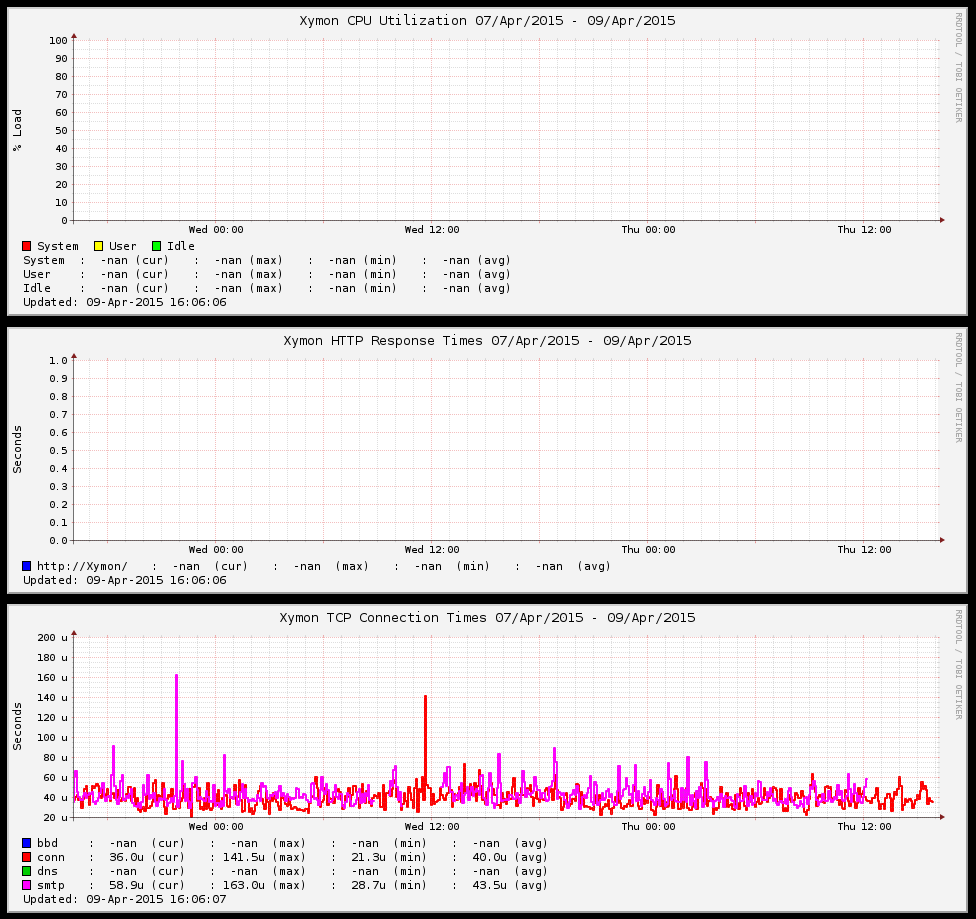
It looks like this...
Thank you for your help!


     On Thursday, April 9, 2015 9:52 AM, Ales Krek <user-5211b02c1f9a@xymon.invalid> wrote:


 I have weird problem. When i go on TRENDS i get bunch of graphs but the problem is that i don't get any data.What can i do?Thank you for your support.


     On Wednesday, April 8, 2015 8:22 AM, Ales Krek <user-5211b02c1f9a@xymon.invalid> wrote:


 Hi.I'm sorry for late reply i was not working on Xymon during the holidays.
Thank you for your help! Now i see all the graphs on TRENDS page.
I think the problem was in hosts.cfg because i didn't have exact name
of the xymon-client.
Now i see the graphs but they are empty... :) Must i configure localclient.cfgin /etc/xymon folder?
Thank you for all your support!


     On Friday, April 3, 2015 4:19 PM, J.C. Cleaver <user-87556346d4af@xymon.invalid> wrote:


 On Fri, April 3, 2015 2:23 am, Ales Krek wrote:
I have a problem.I have red hosts.cfg help file but still don't know how to get cpu, memory etc. graphs on my xymon server page. For now i want to monitor just Xymon Server. I really need help with that. I tried a lot of different things but no success. Thank you all for your patience and support, AleÅ¡ Krek. Â
Assuming the web pages are up and running and being updated every few
minutes, and that xymond is showing up in the output of 'ps', you'll want
to make sure that XYMONSERVERS is set to your localhost IP. If you
compiled by hand, you would have been asked this on setup. If you
installed via a package, it's probably located at
/etc/default/xymon-client or /etc/sysconfig/xymon-client, depending on
your distribution.

You'll also want to take a look at the config / install guide:
https://www.xymon.com/help/xymon-config.html


HTH,

-jc
Attachments (1)
 attachment.png