Xymon to monitor HP OpenVMS
Yes, me too. Only the 1_Warning.txt from McAfee came through.

It might be best if you look at the Apache error log, rather than sending
it to the list. Perhaps tail the log at the time you're looking at the CPU
page with the broken graph, so you can more easily correlate the failure
with the log entries. If you're not sure what the log messages mean, then
it's likely there will only be a few messages, and you could include them
in an email, rather than attaching a large (>100MB) file.

Cheers
Jeremy


On 20 November 2017 at 08:31, Leus Jr, Jose <user-b46c364676ee@xymon.invalid> wrote:
Hi David,


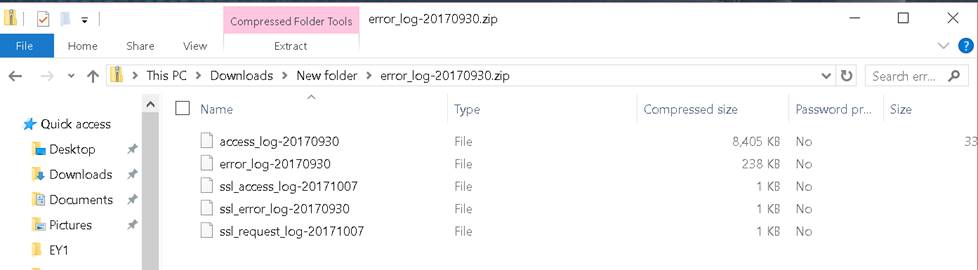
Below are the snapshot of the file attachment I’ve sent and I did not see
1_Warning.txt. Do you mean you only receive the .txt and not the error-log.?


Sincerely,

Leus


*From:* David Boyer [mailto:user-a6c09f28d9d2@xymon.invalid]
*Sent:* Monday, November 20, 2017 2:54 AM
*To:* Leus Jr, Jose <user-b46c364676ee@xymon.invalid>
*Subject:* Re: [Xymon] Xymon to monitor HP OpenVMS


Looking at the 1_Warning.txt file, it appears that the McAfee software is
removing the file before xymon has access.

Dave


On Sun, Nov 19, 2017 at 8:53 AM, Leus Jr, Jose <user-b46c364676ee@xymon.invalid>
wrote:

Hi Jeremy,


Apology I overlooked this mail.


First, thank you very much for your response.


There is no CPU graph in CPU Trends as checked.


Attached herewith are the logs from /var/log/httpd


Sincerely,

Leus


*From:* Jeremy Laidman [mailto:user-71895fb2e44c@xymon.invalid]
*Sent:* Thursday, November 9, 2017 11:00 AM
*To:* Leus Jr, Jose <user-b46c364676ee@xymon.invalid>
*Cc:* xymon at xymon.com
*Subject:* Re: [Xymon] Xymon to monitor HP OpenVMS


Jose


The broken graph appears to be an attempt to execute
/xymon-cgi/svcstatus.sh as a CGI script. There are a few reasons this might
fail.


The first place I would look is the Apache server logfile. This may show
the reason why svcstatus.sh failed to execute correctly.


Do you see the CPU graph showing on the "trends" page?


Cheers

Jeremy


On 15 September 2017 at 06:00, Leus Jr, Jose <user-b46c364676ee@xymon.invalid>
wrote:

Hi Xymon Team,


I am a big fan of your monitoring system. I started to use hobbit since
2007 and now using xymon to watch my systems being manage.


OpenVMS is one of the system that I need to monitor closely. At this time
I was able to monitor hdd, connection , procs and cpu only. But as you can
see below, the graph for cpu utilization is not displayed. I still need to
add other system resources but im having difficulties to integrate it. I
would like to seek for your expert assistance to fully monitor our OpenVMS
system. Please advise if we can set a conference call to discuss. Our team
will allocate budget for development work needed.


I am hoping for your positive response on this matter. Have a nice day to
all!


Sincerely,

Leus
Attachments (2)
 attachment-0002.jpg
 attachment-0003.jpg